How to add your menu to Google Business Profile
You can add a menu to your Google Business Profile in three ways: a link to your menu, dishes in Google's menu editor, or menu photos and PDFs. To add a link, go to your Business Profile, select Edit profile, then Business information, Contact and Menu link, enter the address and select Save. Google decides how your menu appears on Search and Maps.
No card needed · no app for guests
Last updated 1 November 2026
Add a menu link
- Go to your Business Profile.
- Select Edit profile, then Business information, Contact and Menu link. On a computer, in Google Search, select Edit profile, Contact and Menu link.
- Enter the address of your menu.
- Select Save.
A profile has one menu link. Labels can differ between devices, so follow Google's help page if yours look different. We last checked these steps on 1 November 2026.
Add dishes in the menu editor
- Go to your Business Profile and select Edit menu.
- Add a menu section, then add your items with descriptions and prices.
- Select Save.
The editor is for food and drink businesses. Google says changes can take 24 to 48 hours to display on Maps and Search. When your prices change, this list needs updating too, because it's kept separately from your website or QR code menu.
Add menu photos or a PDF
- Go to your Business Profile and select Edit menu.
- At the top, select Photos of menu.
- Upload your photos or PDF.
Customers can add menu photos too. If one is out of date, flag it for removal and upload a current one. Google also has an experimental option that builds a menu from a photo or PDF with AI, which you review before publishing.
If Google shows an old menu
- Go to your Business Profile and select Edit menu.
- From the Full menu tab, select your preferred menu source.
- Select Save.
This option appears when Google finds more than one menu source for your business. Google may also copy menu details from your website, so correct them there as well.
Use your Cloche menu as the link
Every Cloche menu has its own address. Find it under Share & print in your dashboard and enter it in the Menu link field. When you change a price, the page behind the link changes with it, and the same address works on your website and Instagram.
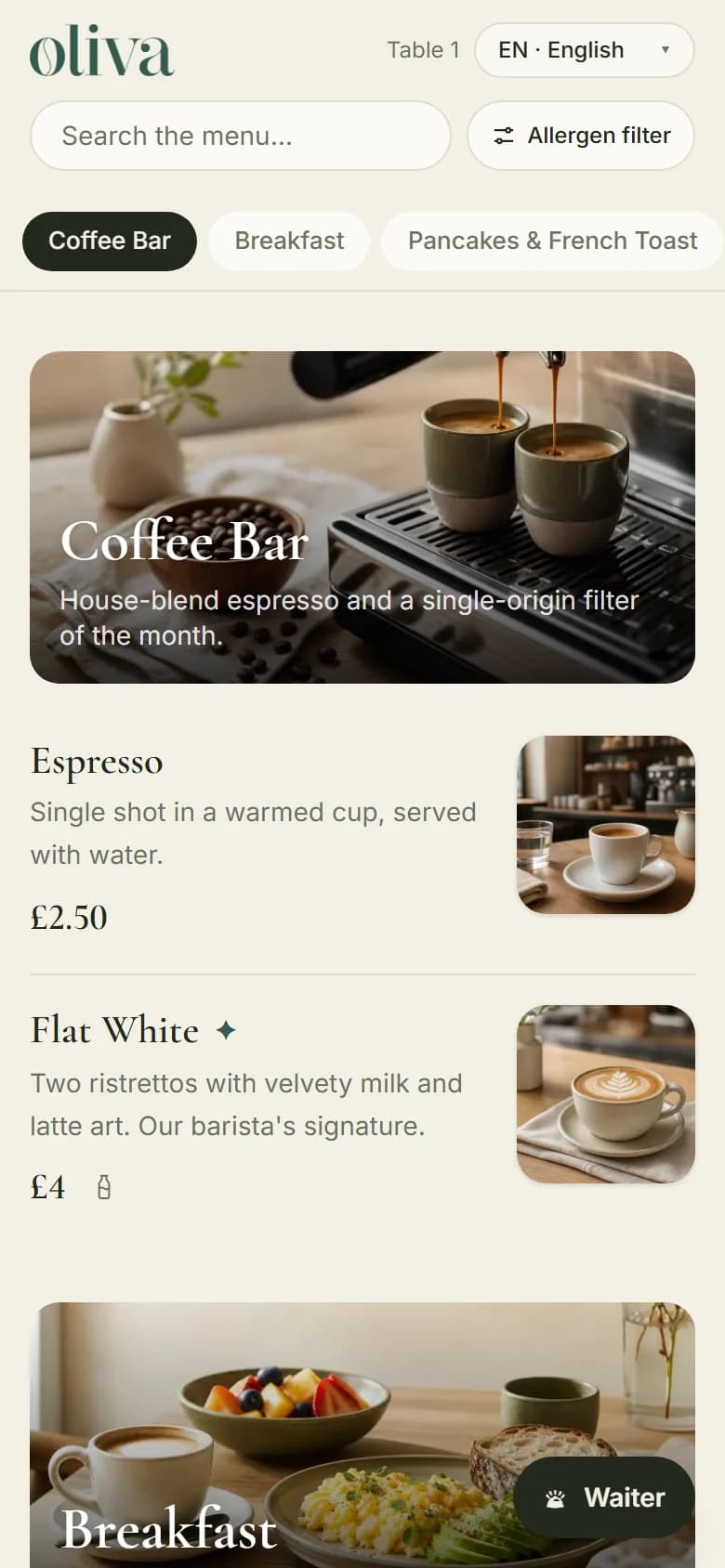
Link back to Google from your menu
Add your Google Maps and review links, and they appear as buttons on your menu's welcome screen. If you're starting from a printed menu, a PDF can get you going.
Screens show a sample menu, not a real venue.
What Cloche doesn't do
Cloche doesn't edit your Google Business Profile for you, and it doesn't control how Google shows your menu or where you rank. A menu link doesn't fill in Google's menu editor. If you only want your dishes listed on Google, you can use the editor on its own.
From £15 a month
30 days free. Keep your printed menus. Cloche shows your menu; your team still takes the order and the payment.
Common questions
Why can't I see the menu option?
Google says the menu editor is for food and drink businesses, and some profiles may not have it. If your menu comes through the Business Profile API, the editor may not appear. Labels can also differ between devices.
How long does a menu take to appear on Google?
Google says changes in the menu editor can take 24 to 48 hours to display on Maps and Search.
Can I use a QR code menu as my Google menu link?
Yes. A QR code menu is a web page, so you can enter its address in the Menu link field.
Can Google read the dishes on my Cloche menu?
Once your plan is paid and your menu has at least 10 dishes, search engines can read your dishes and prices. During the free trial your menu asks search engines not to list it.
Can customers add photos of my menu?
Yes. Google lets customers add menu photos. If one is out of date, you can flag it for removal and upload a current one.
How much does Cloche cost?
Plans start from £15 a month, or £150 a year. The first 30 days are free and you don't need a card to start.