How to turn a PDF menu into a QR code
To turn a PDF menu into a QR code, put the PDF online, copy its link, make a QR code from that link and test it on a phone before you print. For a short menu that rarely changes, that may be all your café or restaurant needs. If dishes and prices change often, you can upload the same PDF to Cloche and edit the menu from your phone.
No card needed · no app for guests
Last updated 1 November 2026
Turn a PDF into a QR code in four steps
- Put the PDF online. Use your website or a file host you control, and check the link opens without a sign-in.
- Copy the link to the file.
- Paste the link into a QR code generator and download the code.
- Test it before you print. Scan it on more than one phone, on mobile data as well as your Wi-Fi.
When the menu changes, replace the file at the same link. The printed code points to that link, so it stops working if the file is moved or removed. Some generators give you a short link that runs through their service, so check what happens to it if you stop paying.
What changes when the menu isn't a PDF
On a phone, a PDF is a page to zoom and scroll. A QR code menu is a web page made for the phone: guests can filter by allergen, read it in their language and see which dishes have sold out.
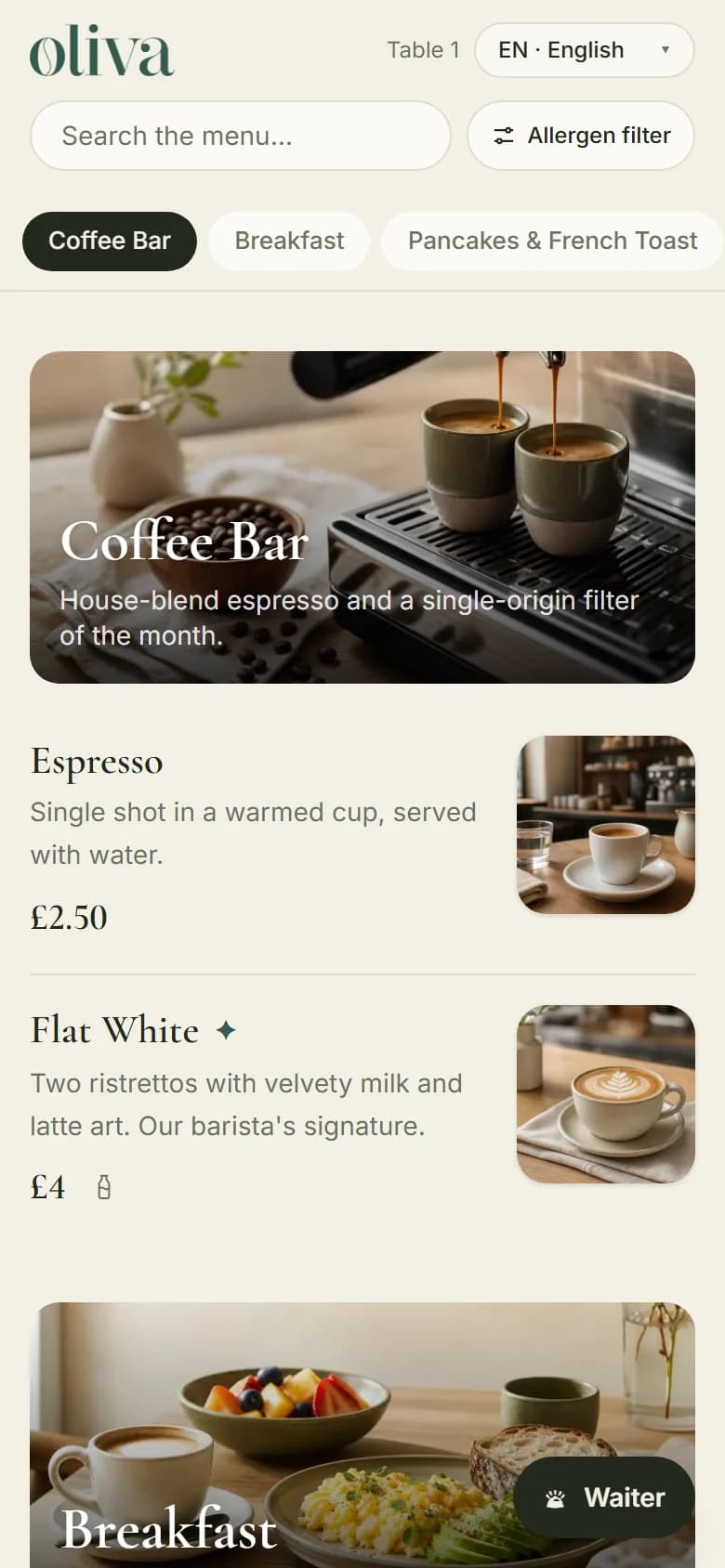
AI drafts it. You check it.
Upload your PDF, or photos of your menu, and AI reads the categories, dishes and prices. You check everything in a preview before it goes live. Allergens are never read from a file, so you add them yourself.
Change it once, from your phone
Mark a dish as sold out or change a price and the menu updates. Your QR cards stay the same, and you can print an A4 price list whenever you need one. The same menu can sit behind the menu link on your Google profile.
Screens show a sample menu, not a real venue.
When a PDF is all you need
If your menu is short, changes a few times a year and your guests read one language, a PDF behind a QR code is a sensible choice and you don't need Cloche. Check it on a phone first. If guests have to zoom in to read the prices, a QR code menu for your café may be easier for them.
From £15 a month
30 days free. Keep your printed menus. Cloche shows your menu; your team still takes the order and the payment.
Common questions
Is it OK to use a PDF menu with a QR code?
Yes, especially for a short menu that rarely changes. Check it on a phone first, because small print on an A4 page can be hard to read on a small screen.
Can a QR code to a PDF stop working?
The printed code doesn't wear out, but what it points to can. It stops working if the file is moved or removed, or if it runs through a generator's short link and that service or plan ends.
Can Cloche read my PDF menu?
Yes. Upload one PDF or up to 8 photos at a time, up to 4 MB in total. Plans include 3, 10 or 30 menu readings a month. AI drafts the menu and you check it before it goes live.
Are allergens read from the PDF?
No, on purpose. You mark the allergens for each dish, because you know your recipes and suppliers. You stay responsible for your allergen information.
Do my Cloche QR codes stop working if I stop paying?
When a plan ends, your menu stays online for 14 more days and then closes. If you renew later, the same QR codes work again. If you close your account, the menu closes immediately.
How much does it cost?
Plans start from £15 a month, or £150 a year. The first 30 days are free and you don't need a card to start.